
Read notebooks and check proofs
Open a notebook beside its source. Follow live updates from your agents, jump between prose and code, explore proof steps and check saved claims independently with Lean.
Read the extension guideGlitnir defines a new notebook extension for Lean that helps mathematicians work better with agents. It comes with an open-source VS Code extension, and at Gimle Labs it runs inside a private harness for agent swarms.
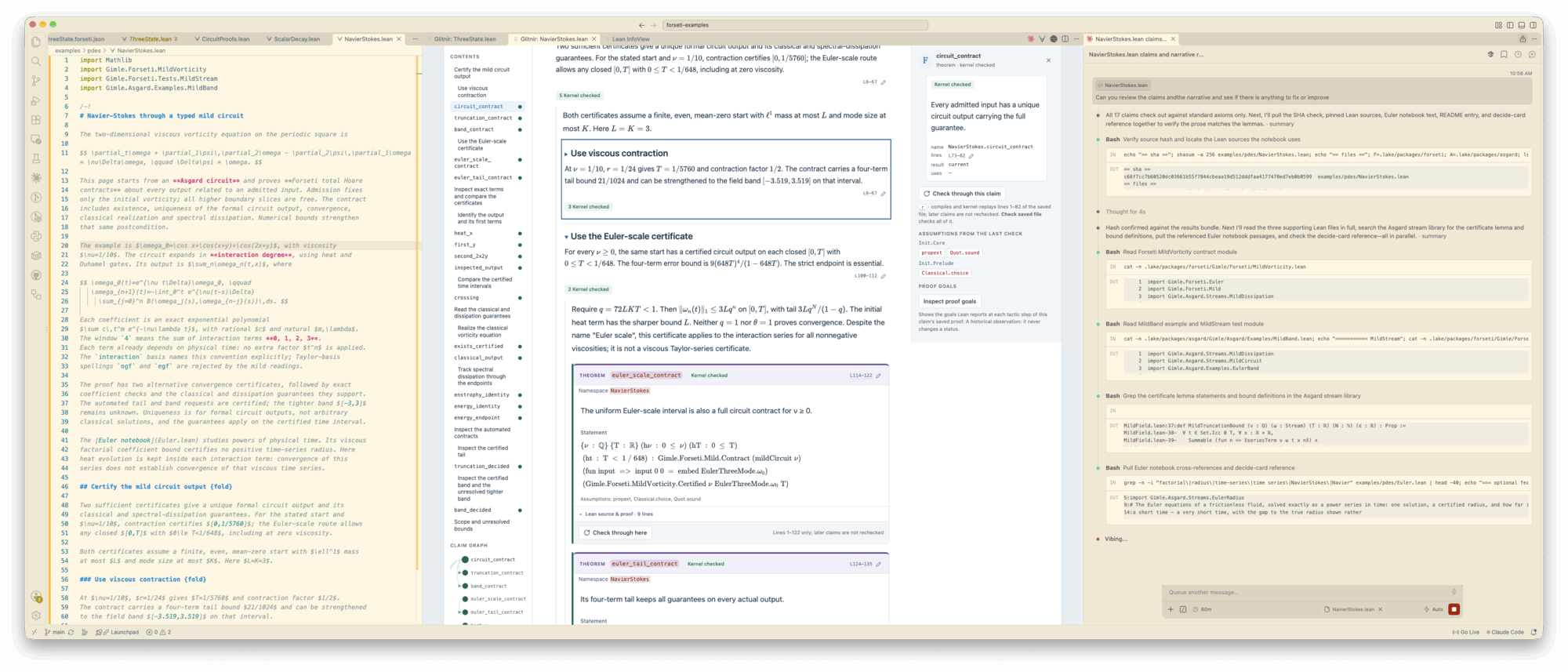
Read its explanations, inspect its changes and check its claims from the rendered notebook.
Glitnir’s notebook format lets agents present a clear mathematical narrative alongside Lean definitions and proofs, with embedded visualizations, simulation results and other artifacts.
The extra notebook syntax lives inside Lean comments. Lean compiles and checks the file as usual, while Glitnir renders the narrative, code and embedded content as a notebook from the same .lean file.
/-! # A first notebook

Explain the idea, then give its proof.
-/

theorem hello : True := by
trivialOpen a notebook beside its source. Follow live updates from your agents, jump between prose and code, explore proof steps and check saved claims independently with Lean.
Read the extension guideInstall the notebook authoring skill for Codex, Claude Code or another coding agent. The skill describes the notebook format, how to explain proofs and how to check claims.
Read the agent skillDisplay graphical views, simulation outputs and other artifacts in a notebook. The optional Forseti plugin provides visualizations and simulations for supported Lean models.
Read about the Forseti pluginSee which claims have been checked, which proofs are unfinished and which assumptions they use. Simulation results provide evidence for conjectures. Lean checks whether the proofs establish their claims.
Read about claim checkingThis is how Glitnir is used inside Gimle Labs today, on a harness that is not yet public. Coding agents and tool-calling agents work on one mathematical problem, share findings, explore different approaches in parallel, and the results land in Glitnir notebooks.
Use the notebook authoring skill with coding agents and connect tool-calling agents through the harness. Different agent types can work together in the same swarm, sharing findings and writing Glitnir notebooks.
Keep findings, open questions and decisions in persistent shared memory. Agents can read each other’s results and build on previous work.
Multiple agents can work on the same problem or the same part of it, while others tackle separate subproblems. They can also review each other’s findings, with reasoning and evidence recorded alongside the results.
Submit Lean verification jobs to remote compute yourself or through an agent, and keep working on proofs while they run. Simulations and views run locally.
Install the extension, open a Lean notebook and set up your coding agent with the authoring skill.
Install Glitnir for VS CodeSetup needs uv and Python. Checking needs compatible Lean.
See installation requirements